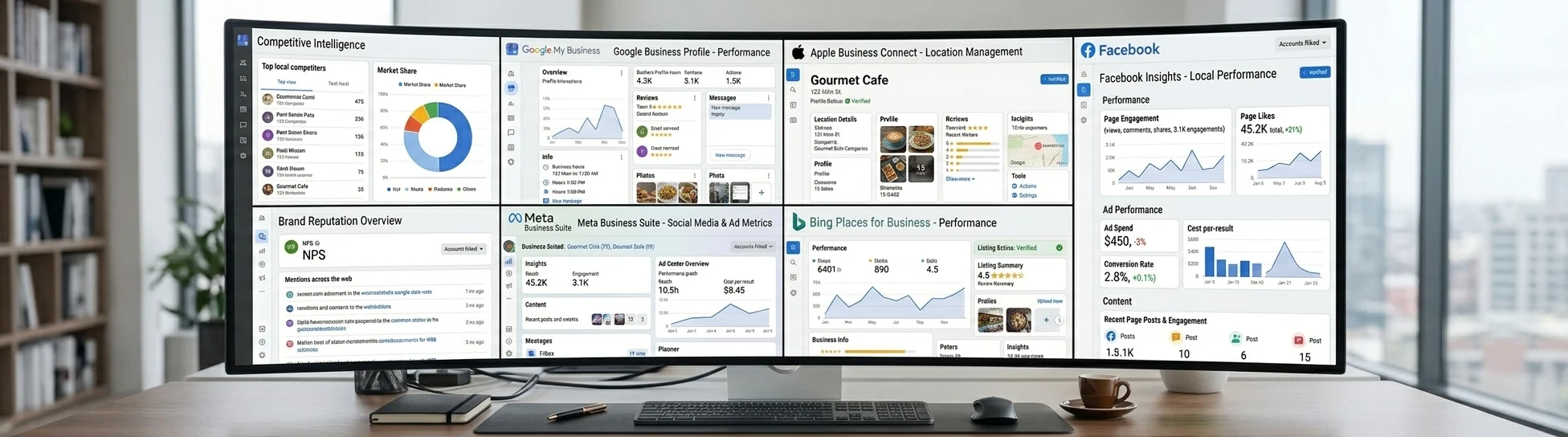











Local Analytics API for GBP, Facebook & Bing
Power your product's local SEO reporting with one API. Google, Facebook, and Bing insights plus review reputation analytics.
curl "https://listingsapi.com/api/v4/locations/TG9jYXRpb246MTgwMDI4OQ==/bing-analytics?fromDate=2026-06-01&toDate=2026-06-30" -H "Authorization: API $LISTINGSAPI_KEY"{
"data": {
"bingInsights": {
"views": [
{ "startTime": "2026-06-01", "value": 128 },
{ "startTime": "2026-06-08", "value": 143 },
{ "startTime": "2026-06-15", "value": 156 },
{ "startTime": "2026-06-22", "value": 149 }
]
}
}
}What you can build
Agency reporting dashboards
Pull Google, Bing, and Facebook numbers for every client location and render them in one branded view. Each read comes back as JSON keyed to a location and date range, so a nightly job can refresh every account without manual exports.
In-product analytics tabs
Add a local performance tab to your own product without building crawlers or scrapers. Call the Google, Bing, and Facebook reads per location and chart the fields you care about next to the rest of your app's data.
Internal monitoring and alerts
Feed the per-location reads into an internal tool that watches for views dropping week over week. Because Bing returns weekly buckets and the other reads accept a date range, you can compare periods and flag locations that need attention.
One response, report-ready numbers
bingInsights.views, weekly values per location and date range
From API key to live in four steps
Send your key
Every request carries your Listings API key in one header. Point it at the location and the source you want to read.
Authorization: API <key> Read Google performance
Fetch Google Business Profile insights for a location across a date range and read views, searches, and actions.
GET /api/v4/locations/{id}/google-analyticsAdd Bing and Facebook
Call the Bing read with fromDate and toDate for weekly view buckets, and the Facebook read for page performance on the same location.
GET /api/v4/locations/{id}/bing-analyticsLayer in reputation
Pull the review reputation overview per location so ratings sit next to profile performance in the same report.
GET /api/v4/locations/{id}/review-analytics-overviewFAQs
Which platforms does the local analytics API cover?
Analytics reads are available for Google, Bing, and Facebook only. Each read is scoped to a single location and a date range, and every response comes back as JSON so your team can chart or store it directly.
What does the Bing analytics response look like?
The Bing read takes fromDate and toDate as YYYY-MM-DD and returns data.bingInsights.views, an array of weekly buckets where each item has a startTime and a value. Note that the locationId for Bing must be the base64 Relay ID, such as TG9jYXRpb246MTgwMDI4OQ==.
What metrics come back from the Google read?
The Google read returns Business Profile insights for a location over a date range, including views, searches, and actions. You request one location at a time and loop over your list to cover a whole account.
How do I authenticate a request?
Send your Listings API key on every request using the Authorization: API <key> header. The same key works across the Google, Bing, Facebook, and review reputation reads.
Can I pull review data alongside performance?
Yes. The review reputation overview read returns a per-location summary of review reputation, scoped the same way as the performance reads, so ratings can sit next to views and searches in one report.
Start pulling local performance today
Point one Listings API key at a location and read Google, Bing, and Facebook performance as JSON in minutes.