









Google Business Profile
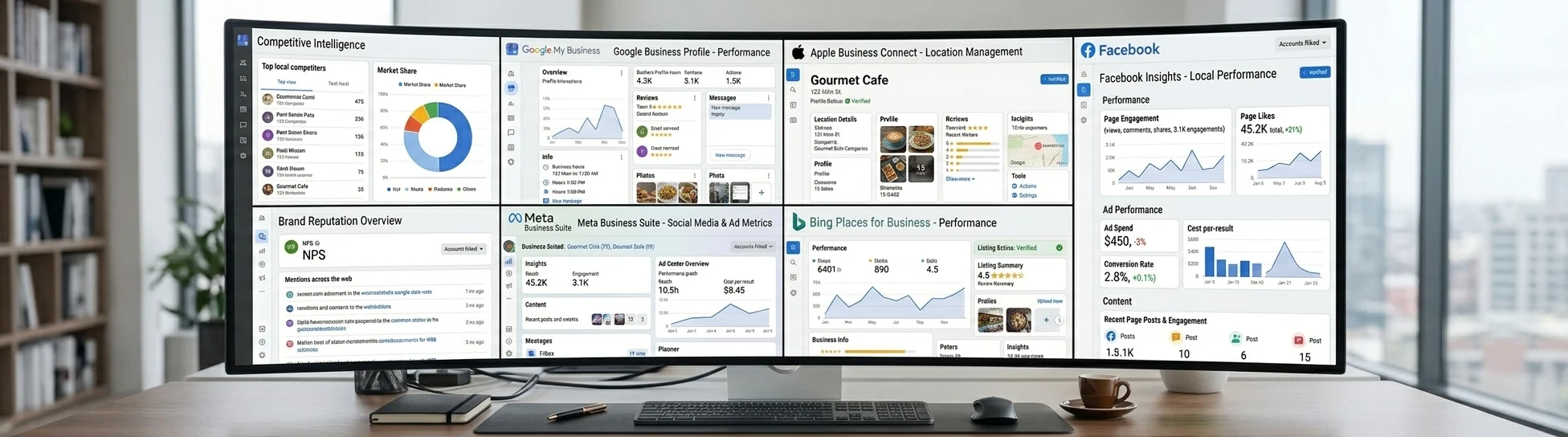
Google Business Profile helps businesses appear on Google Search and Maps with key information like hours, location, photos, and reviews.
Google Business Profile APIs require Google project approval, OAuth, and profile verification. Listings API automates this process, allowing users to create, manage, and sync Google listings through a unified API.
With just a few API calls, you can publish a business to Google using details like business name, category, address, phone, website, and hours. Listings API lets you:
- Connect Google accounts and link or create Google Business Profile listings.
- Publish and bulk publish posts.
- Read reviews and manage review replies.
- Fetch Google Search and Maps analytics, including views, searches, and actions.
- Update locations and track publishing status and live listing URLs.
What the API does on Google Business Profile
Listing sync
Name, address, phone, hours, description, categories, website, and photos publish to Google Business Profile from one canonical record. The same write updates the rest of your plan's network.
Publish status you can query
Per site publish state and live listing links are readable back through the API, so you can verify the Google Business Profile listing from response instead of checking it manually.
Posts
Announcements, events, and offers publish to Google Business Profile per location or in bulk across locations, with asynchronous per site status.
Reviews
List review interactions and post, edit, or archive replies on Google Business Profile through a connected profile, plus review analytics as structured data.
Analytics
A dedicated endpoint returns Google Business Profile listing insights per location and date range as structured data.
Typed SDKs + MCP
Node.js and Python SDKs with full types, plus a hosted MCP server so agents and LLM tools can drive the same API.
Fetch Google Business Profile sync status
curl -X POST https://listingsapi.com/api/v4/connected-accounts/connect-google \
  -H "Authorization: API $LISTINGSAPI_KEY" \
  -H "Content-Type: application/json" \
  -d '{"input":{"successUrl":"https://app.example.com/connect/success","errorUrl":"https://app.example.com/connect/error"}}'

# Returns an OAuth url. Open it so the owner authorizes Google:
# { "data": { "bulkConnectLinkForGoogle": { "success": true, "url": "https://claim.verifymybiz.com/..." } } }curl -X POST https://listingsapi.com/api/v4/locations/create/gmb-listing \
-H "Authorization: API $LISTINGSAPI_KEY" \
-H "Content-Type: application/json" \
-d '{"input":{"locationId":"16808","connectedAccountId":"4f712c17-4f95-42dd-90f4-97171a2e67b5"}}'
# { "data": { "createGmbListingForLocation": { "success": true } } }curl https://listingsapi.com/api/v4/locations/16808/listings/premium \
-H "Authorization: API $LISTINGSAPI_KEY"Which plans include Google Business Profile
Google Business Profile is available on every plan, starting with Launch.
Google Business Profile + Listings API
Does Google Business Profile have an API?
Yes. Google runs its own Business Profile APIs for accounts, locations, reviews, and posts, but access is gated behind Google project approval, OAuth, and a verified profile. Listings API removes that gate: create, sync, and manage Google listings through one REST API.
How do I connect a Google account?
Call POST /api/v4/connected-accounts/connect-google to get an OAuth url, then have the business owner open it and authorize Google. Once the account is connected, you can link or create listings for it.
Can I create a new Google listing through the API?
Yes. With a Google account connected, call POST /api/v4/locations/create/gmb-listing with the location ID and the connected account ID. The business owner completes Google's own verification before the listing is fully live.
How do I update a Google listing using the API?
Call updateLocation with the location ID and the fields you want to change: name, description, categories, address, phone, website, or hours. The same JSON body that created the location updates it.
How do I check a listing's sync status?
Call GET /api/v4/locations/{id}/listings/premium. It returns the per site publish status and the live Google listing URL once the update clears, so you verify from the response instead of checking manually.
Do I need Google API access or a Cloud project?
No. You do not register a Google Cloud project or go through Google's API approval. You connect the business's Google account once through OAuth, and one Listings API key authenticates your calls after that.
What permissions does connecting a Google account grant, and can I revoke them?
The Google Business Profile account admin authorizes Listings API through Google's permission page when it redirects to open the OAuth url, which grants management access to the Business Profile locations on that account. Review what is connected with connectedAccountsInfo and connectedAccountDetails. Revoke at any time with disconnectConnectedAccountListing for a single listing or gmbBulkDisconnect for the whole account.
Can I import existing locations from Google?
Yes. Once a Google account is connected, call POST /api/v4/connected-accounts/connected-account-listings to page through the Business Profile listings it already owns, then create-location-from-listing to import an existing location from the connected accounts, or connect-listing to attach it to a location you already have.
Can I publish posts or reply to reviews on Google?
Yes. Google is one of two profiles, with Facebook, where Listings API publishes posts and reads reviews, then posts, edits, or archives replies through the connected profile.
Can I read analytics for a Google listing?
Yes. Call fetchGoogleAnalytics for the profile's views, searches, and actions. Google is one of three, with Bing and Facebook, that return an analytics read.
Are updates to Google Business Profile real time?
Yes. Creates and updates are pushed to Google Business Profile through its API in real time. Read the per publisher status with GET /api/v4/locations/{locationId}/listings/premium.
Which countries does Google Business Profile support?
Google Business Profile accepts listings in 59 countries: Albania, Algeria, Australia, Austria, Bahrain, Belgium, Brazil, Cambodia, Canada, Cayman Islands, Chile, Croatia, Dominican Republic, Egypt, France, Georgia, Germany, Guam, Hong Kong, India, Indonesia, Iraq, Ireland, Israel, Italy, Japan, Jordan, Kenya, Kuwait, Latvia, Lebanon, Libya, Malaysia, Mexico, Morocco, Netherlands, New Zealand, Nigeria, Norway, Oman, Philippines, Poland, Portugal, Puerto Rico, Qatar, Saudi Arabia, Singapore, South Africa, South Korea, Spain, Sweden, Switzerland, Taiwan, Thailand, Türkiye, United Arab Emirates, United Kingdom, United States, Vietnam. Call GET /api/v4/plan-sites to read country coverage for every publisher on your plan as ISO codes.