









Business listings API: build a custom listings app with Claude and MCP

Listings API is a business listings API: a headless service that publishes a business to listing sites and manages its reviews and posts through APIs. In this video, Aniruddha Basu, Lead Software Engineer, connects its MCP server to Claude and has Claude build a custom listings app on top of it. Then Aniruddha opens the finished app on real directory data.
You do not need to be technical to follow along. The MCP server lets Claude, or any AI agent you choose, handle listing submissions, posts and reviews for you.
What the business listings API does
- One business, many listing sites. Aniruddha names Google, Bing, Yelp and Apple Maps among the major sites. Which sites a business reaches depends on its plan, and the publishing network lists every citation by plan.
- Headless by design. Listings API has no front end your customers must use. You bring the app, which is what Claude builds in this video.
- One API for listings, reviews and posts. The listing management API, review management and posting sit behind the same key, so one integration covers them all.
Coverage differs by capability. This is what the local listings API reaches today:
| Capability | Where it reaches |
|---|---|
| Listing and citation sync | Every citation on the plan, across a network of 80+ directories, maps and answer engines |
| Reading reviews | Google and Facebook on every plan, Yelp on Growth and Enterprise |
| Replying to reviews | Google, Facebook and Yelp |
| Posts | Google and Facebook |
| Analytics | GBP insights, Bing and Facebook |
Connect the Claude MCP connector
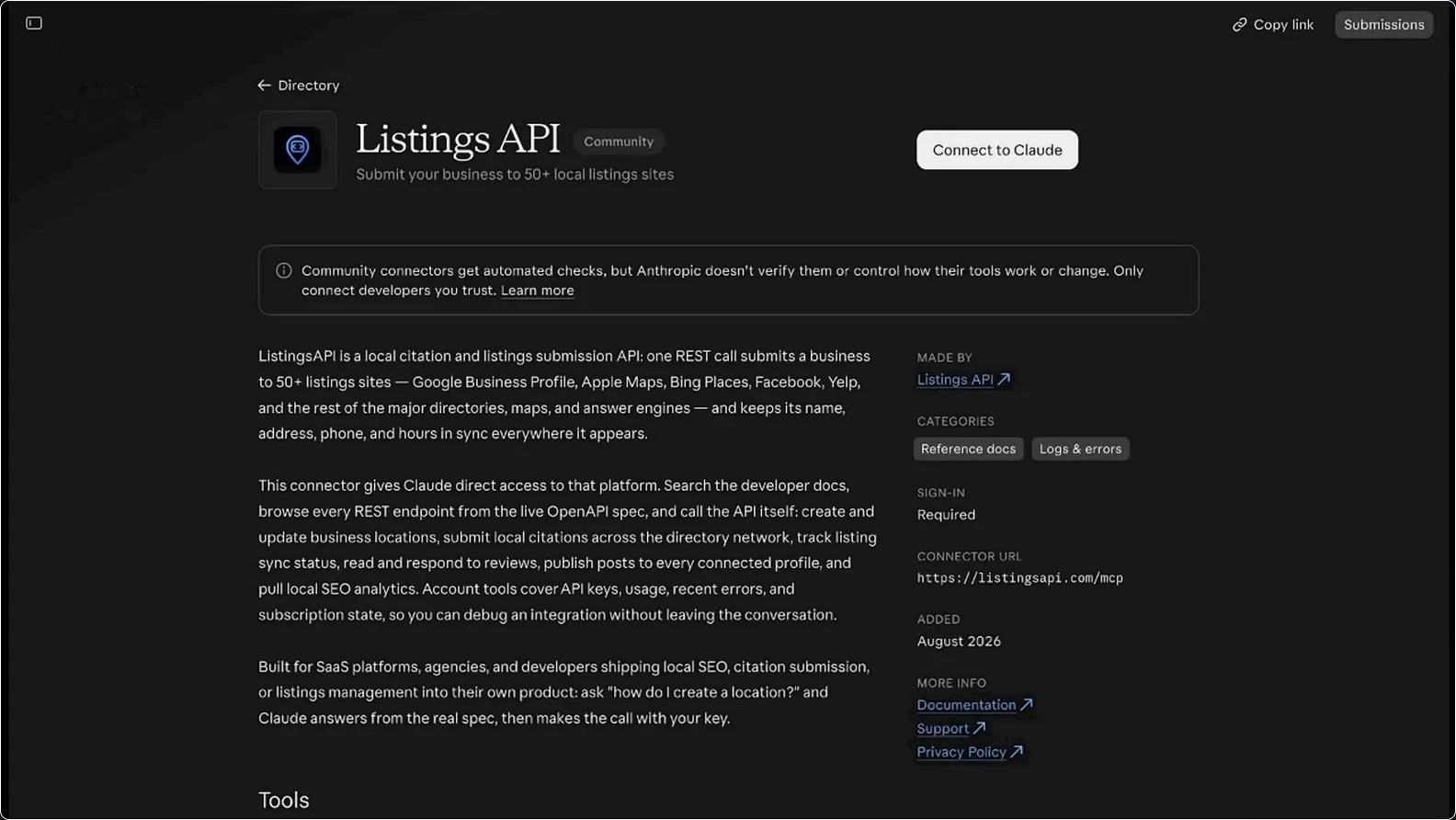
- Listings API is already in Claude’s directory. It is a public connector named after the product, so there is nothing to install or host.
- Authorize once. With a Listings API account, press connect and sign in when Claude asks. After that the connector stays connected, and Claude works with your account’s access.
- Public or custom connector. Use the public connector from the directory, or add a custom connector. Both reach the same MCP server at
https://listingsapi.com/mcp.
Ask Claude to build a custom listings app
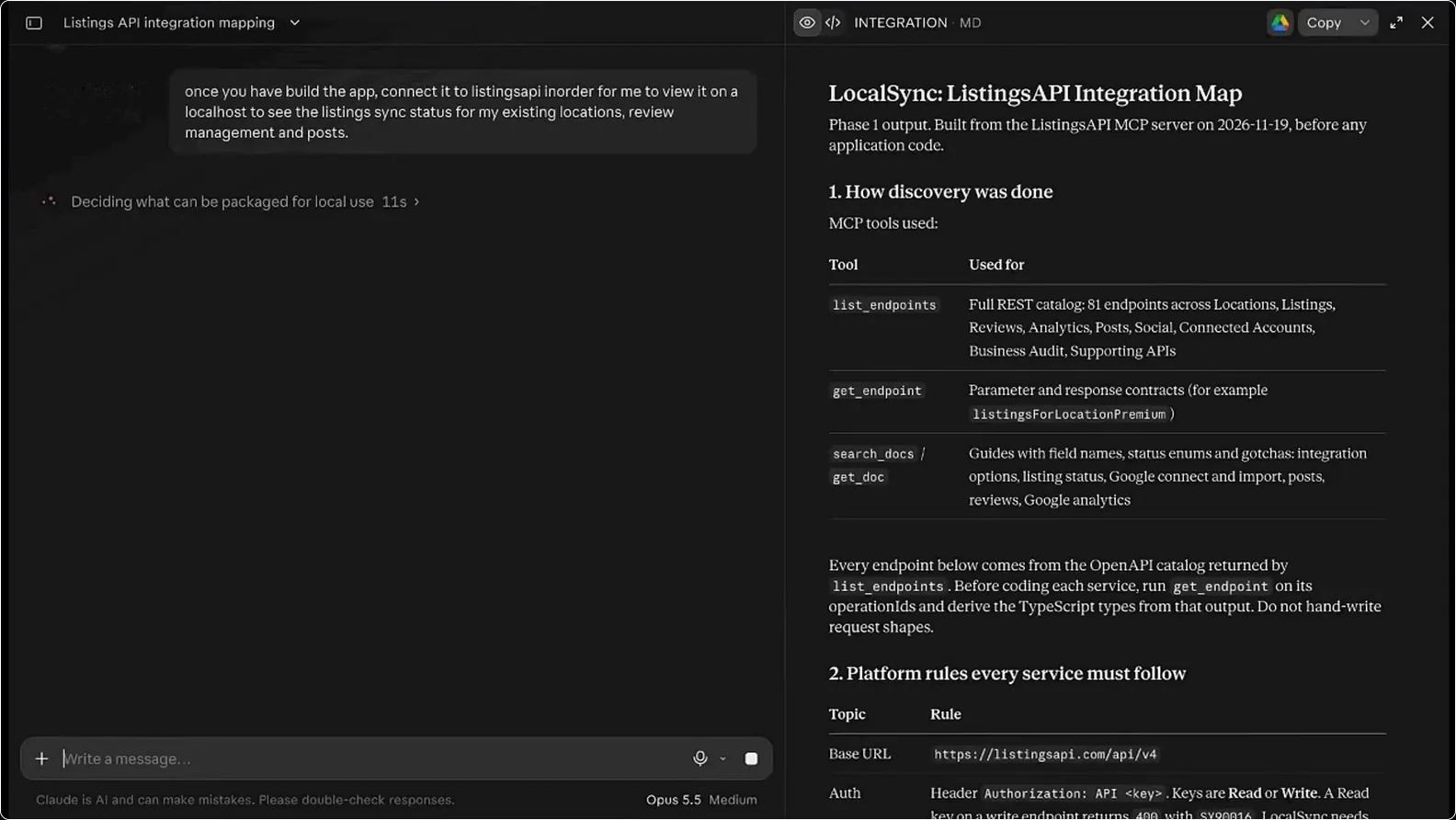
- A prepared prompt starts it. Aniruddha pastes a prompt that asks Claude to build a custom app, then integrate Listings API into it through the MCP server. The prompt asks for an app that shows which directories a business is submitted to and the data you get back. Reviews and posts are on the list too. Later Aniruddha gives Claude a second prompt to show the account’s existing locations and listings.
- Any style you like. The app is fully custom. Describe the design and the features you want, and Claude builds it.
- Then Claude does the integration. Once the app exists, Claude uses the Listings API MCP connector to wire it to your account. It asks for permission before it uses the connector, and Aniruddha approves.
- Little instruction needed. Aniruddha asked only for listings, reviews and posts, connected to Listings API. Claude worked out the rest, and handed back an email and password to sign in to the app it built.
What the API docs cover
While Claude builds, Aniruddha tours the API docs.
- Guides for each endpoint. The guides explain what each endpoint does, so you or your agent can pick the right call.
- Countries and categories. The docs list the countries and business categories the API supports, which you need before adding a business.
- A location is a business. It can be your own business or a client’s. Adding a location is what submits that business to the publisher network.
- Everything about the location. Each location carries its photos, business hours, website and description, plus a link to its menu.
- Google and Facebook need a connection. Connect the business’s existing Google or Facebook account to sync to those two.
- No Google listing yet? The API can create a new Google Business Profile for the business. There is no endpoint that creates a Facebook page, so for Facebook, connect an existing one.
- A listing scan to capture leads. Put the audit endpoint behind a form on your website or client portal. A prospect fills in their business details and gets a live sync report showing which details, such as the name, address and phone number, are live on each site and where they are not yet published. Depending on the country, a scan checks up to about 60 directories. Scans are available on paid plans with a monthly allowance and are not part of the day pass.
- Why the scan matters. A prospect with gaps is a potential client for your listing services.
Reviews, posts and analytics through the API
- Fetch reviews for every location. Google and Facebook reviews come in on every plan, and Yelp on Growth and Enterprise. Your app can show each business its reviews in one place.
- Respond to reviews. Replies go back to Google, Facebook and Yelp through the API.
- Review analytics. You get separate numbers for Google, Facebook and Yelp, plus a combined report with the total number of reviews and how many got a response. It also splits them into good and bad reviews.
- Bulk posts for many locations. If you manage a large number of locations, publish one post to all of them at once through the API.
- Where posts go. Listings API publishes posts to Google and Facebook. Aniruddha also names LinkedIn, Twitter and Pinterest. Those networks, with Instagram, are part of the separate Social product.
- Analytics per location. In the wrap-up Aniruddha mentions analytics. Listings API reports GBP insights, Bing and Facebook analytics for each location.
Inside LocalSync, the app Claude built
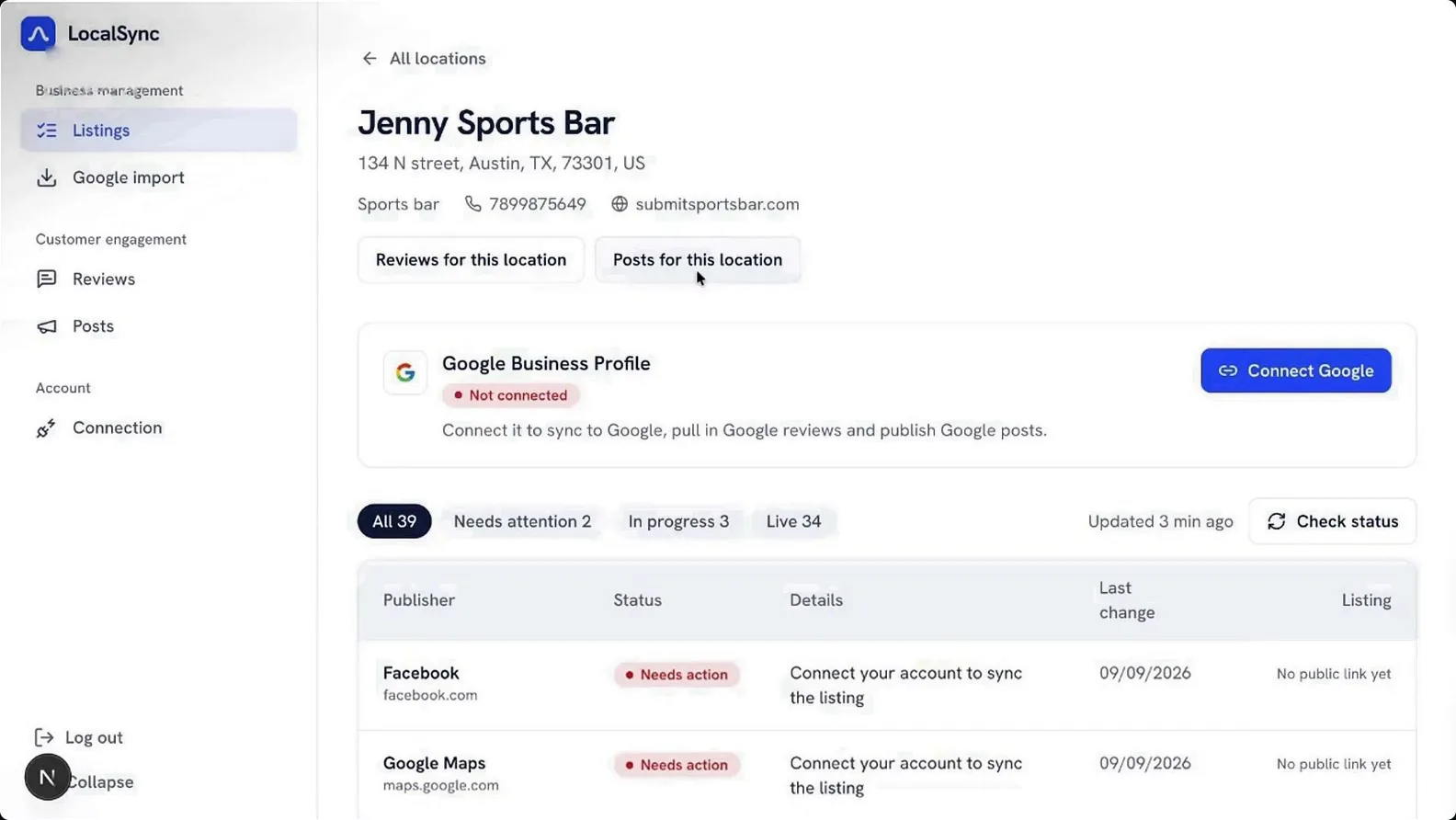
- Claude named it LocalSync. The sidebar has Listings and Google import for business management, then Reviews and Posts for customer engagement.
- Your locations are already there. The 2 demo locations on Aniruddha’s account appear straight away, because the app reads them through the API.
- Status for every directory. Each location lists its publishers with a status. Most show the listing as live. Some show action required, which means a connection is needed, and a few show errors.
- Checked against the live sites. Aniruddha opens LocalMint and Localtunity. Both show the published listing, and its details match the dashboard. Chamber of Commerce shows Jenny Sports Bar with its address, phone number and website.
- Reviews and posts per location. Each location has its own reviews and posts views. They stay empty until the location’s Google listing is connected.
- Submissions go out together. Listings that need no connection are submitted even before Google is connected. Once Google is connected, the data you send to Listings API goes to Google as well.
Google Business Profile MCP: connect and import
- Let your users connect Google. In your own app, give clients or users the option to connect their own Google listing. Once they connect it, the data from your app is submitted to Google.
- Google import. LocalSync can import locations from a Google Business Profile account. It lists the locations in the profile, and you select the ones to import.
- Demo locations have no Google data. Both locations in the video are demos with no Google listing. So the reviews tab has no reviews to show, which is why it shows an error, and the posts tab asks you to connect Google first.
- Each connection is separate. With the business’s Google account connected, the data you submit through Listings API reaches Google. Facebook needs its own account connection, and the other directories on your plan need none.
White label listings in your own product
- The name in the app is yours to change. Claude wrote Listings API into LocalSync, but you can white label it completely.
- Your product and your brand. Customers use your interface, with no Listings API login or dashboard in their way. Google and Facebook account connection screens are the exception.
- An existing app or a new one. Use the MCP server to connect an app you already run, even one built on another provider’s API, or to build a new one. You can also call the API straight from your back end.
What you need to use the MCP server
- A Listings API credential. Every MCP tool needs one, from an account on a plan. The Launch plan starts with a 14-day free trial, which needs a card. See pricing.
- Or the free day pass. When the sandbox day pass is offered, you can try the API and the MCP server free for 24 hours with no card. It covers the locations and listings endpoints for up to 2 locations, and its listings sync only to demo directories.
Aniruddha’s point in the video: with the MCP server, connecting your app to Listings API, or building a new one, is quick. Create a location and submit it to many listing sites or a few selected ones. Its reviews and posts then run from your own product.
Common questions
What is a business listings API?
It is an API that publishes a business you manage to listing sites and keeps those listings in sync. Listings API also covers reviews, posts and analytics, and its MCP server lets Claude or another AI agent use it for you.
How do I connect Listings API to Claude?
Listings API is a public connector in the Claude connector directory. Connect it and sign in once with your Listings API account. You can also add it as a custom connector with the server URL https://listingsapi.com/mcp.
Do I need a paid plan to use the MCP server?
Every MCP tool needs a Listings API credential, from an account on a plan or from the day pass. The Launch plan starts with a 14-day free trial, which needs a card. When the sandbox day pass is offered, you can also try it free for 24 hours with no card, against demo directories only.
Can the API create a Google Business Profile?
Yes. If a business has no Google listing yet, the API can create one. There is no endpoint that creates a Facebook page, so connect the business's existing Facebook account instead.
What does the listing scan check?
A prospect enters their business details, and the scan reports which of them, such as the name, address and phone number, are live on each site. Depending on the country, a scan checks up to about 60 directories. Scans are available on paid plans with a monthly allowance and are not part of the day pass.
Which networks do posts go to?
Listings API publishes posts to Google and Facebook, for one location or for many at once. The separate Social product covers 5 social networks, Instagram and Pinterest among them.
Can I white label the app?
Yes. Customers use the app under your name and brand, with no Listings API login or dashboard in their way. Google and Facebook account connection screens are the exception.